REVIEW · HANA
Maui: Road to Hana 4Hr GPS self-guided audio driving tour
Book on GetYourGuide →Operated by UCPlaces | Your personal tour guide app · Bookable on GetYourGuide
The road to Hana teaches itself. This self-guided GPS audio drive from UCPlaces is built for you to learn as you go, with a live navigation map and spoken stops along Maui’s famous route. Two things I like right away are the flexible timing (you can stop and continue later) and the fact that the app is designed to help you find the best places to pause for photos and breaks. One potential drawback to plan for: you may need to download the tour at the start while you’re roadside and on your phone’s connection, which can eat up some time before you’re fully on your way.
This isn’t a guided bus tour, and there’s no meeting point. You’re driving, your phone is talking, and the experience is only as smooth as your setup—charged smartphone, and ideally your car audio via Bluetooth or a cable. Still, if you want control of your schedule without skipping the key roadside highlights, this format makes a lot of sense.
In This Review
- Key things to know before you drive
- How the UCPlaces Road to Hana tour actually guides you
- Setting up your phone (and your car) so the audio works
- What you will see: 64 roadside stops with the biggest named highlights
- Jaws Beach
- Twin Falls
- Jungle Zipline
- Hanawi Falls
- Honomanu Bay
- Viewpoints, plus historical churches and more
- Driving flow: one direction, your pace, and your sanity
- Price and value: what $20 buys (and what it does not)
- Who this tour suits best (and who should skip it)
- Should you book the UCPlaces Road to Hana 4-hour GPS audio tour?
- FAQ
- How long is the Road to Hana GPS audio tour?
- How much does it cost?
- Is this tour guided by a person?
- Where do I meet the group?
- What do I need to bring?
- What languages are available?
- Do I need earphones or an audio device?
- Can I listen to the audio through my car speakers?
- Do I need tickets for stops like attractions along the route?
- Can I use the tour on the way back from Hana?
Key things to know before you drive
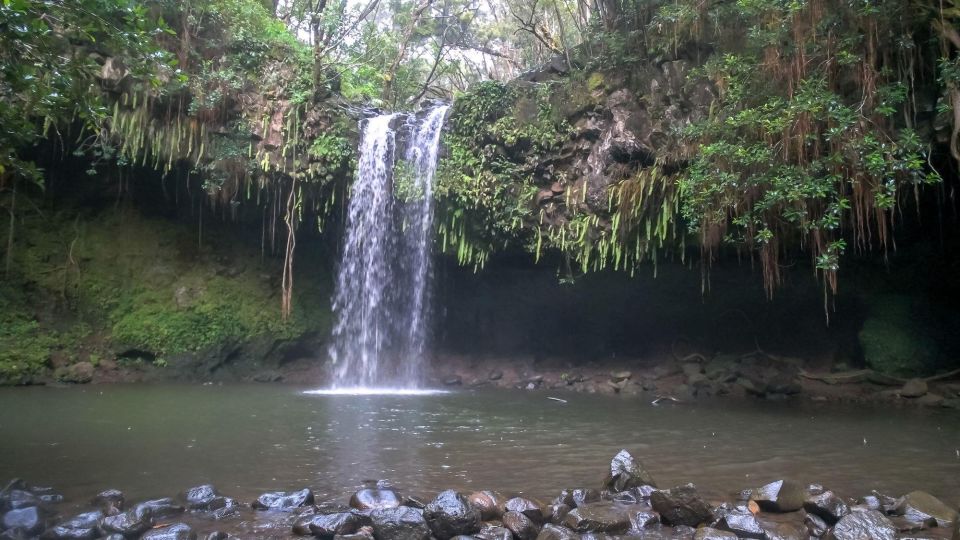
- GPS navigation plus audio instructions: the app provides a live map and spoken guidance.
- 64 places of interest along the route: including named highlights like Jaws Beach, Twin Falls, Hanawi Falls, and Honomanu Bay.
- Pause and resume anytime: do the whole drive at once or stop the tour and come back later.
- No meeting point, trigger-location start: the tour begins once you pass the starting trigger address.
- Car audio is recommended: connect your phone to your car speakers; earphones aren’t included.
How the UCPlaces Road to Hana tour actually guides you
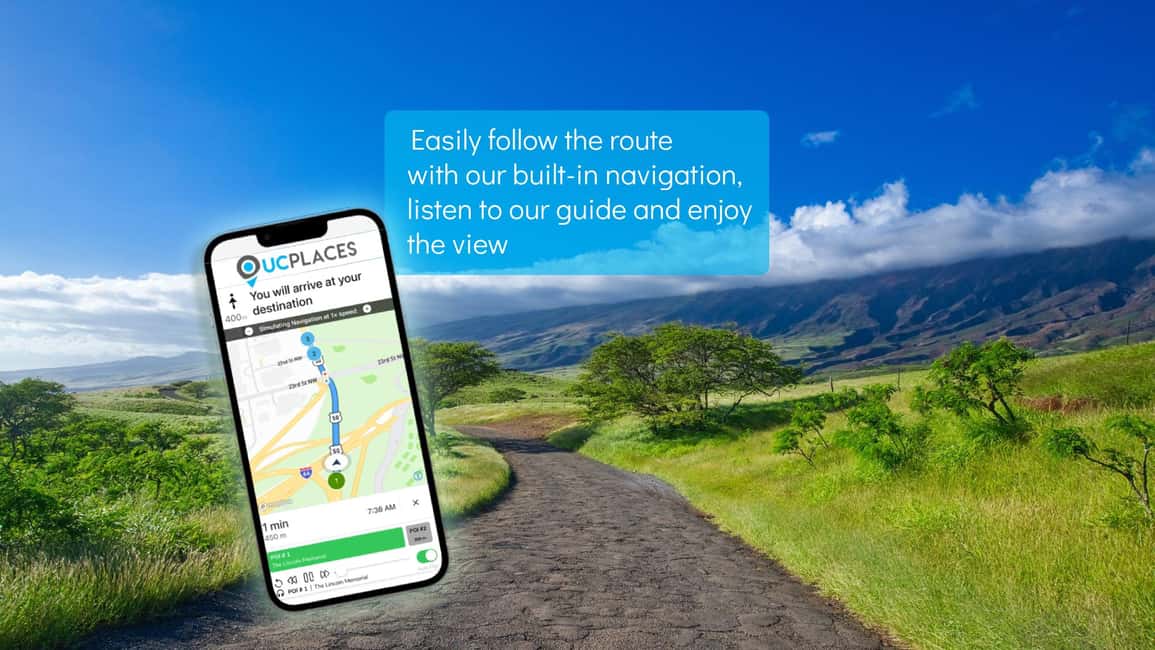
This is a self-guided digital driving tour, not a person in the passenger seat. Once you’re in your car, the UCPlaces app handles two jobs: it shows where you are on a dynamic navigation map, and it plays audio instructions as you approach stops. The goal is to keep you from guessing where to pull over, so you can spend less time researching and more time enjoying the view.
The tour is designed around a Road to Hana drive, and it runs in English. It also covers a lot of variety in one route: beaches, waterfalls, viewpoints, historical churches, and even an attraction-style stop like Jungle Zipline. You’re not buying a ticket to everything, but you are getting guided context for what you’re seeing as you pass it.
You’ll notice something important in how you use it: you can do it all at once, or you can stop the tour and continue later. That matters on Maui because timing can change fast—weather, crowds at pull-offs, and how long you personally want at each stop.
Setting up your phone (and your car) so the audio works

The experience strongly depends on your tech setup. UCPlaces recommends connecting your smartphone to your car audio system—via Bluetooth or a cable—so you can hear instructions while driving safely. Earphones aren’t included, so if you plan to listen privately, you’ll need your own.
Here’s the part that can make or break your start: after you purchase, you need to download the tour for the first time by opening the tour screen and selecting Start Tour, and you should do that while connected to Wi‑Fi or with good cellular reception. If cellular is weak where you start, the app may take time to download before you can get going. In a recent experience that went the wrong way, that initial download happened roadside and took about 10 minutes, during which the driver couldn’t do much else.
So my practical suggestion: before you leave town, make sure you have a charged phone, and when you’re ready to start, choose a spot with reliable data. Then, once downloaded the first time, you can take the tour whenever you wish and as many times as you want for the validity window.
Also keep in mind that this tour is not suitable for people without a driver’s license. It’s for a driver, not for a passenger sightseeing-only plan.
What you will see: 64 roadside stops with the biggest named highlights
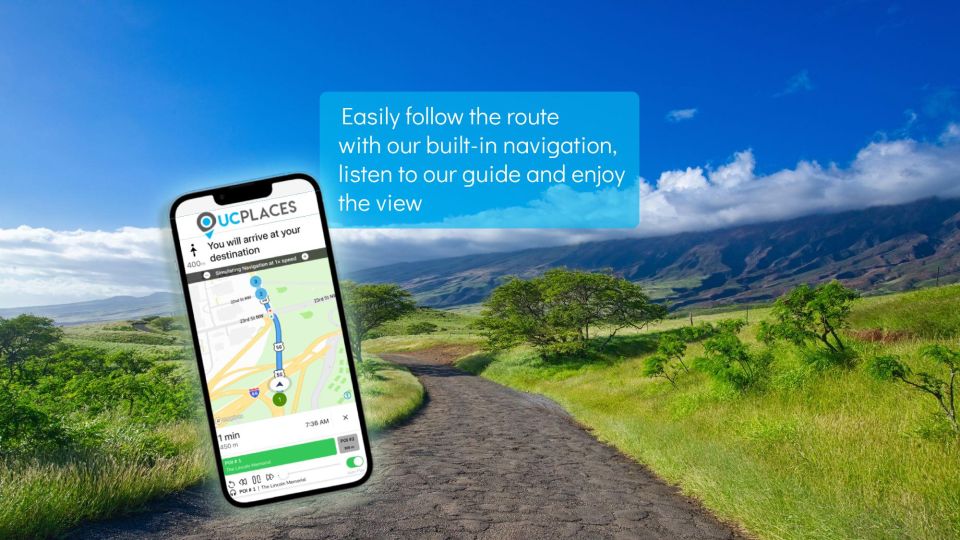
The tour includes 64 places of interest as you drive. You won’t necessarily spend equal time at every stop—some are best as pass-by photo moments, others are obvious pull-over breaks. The audio guide also tells stories as you reach points along the way, including background on places like beaches, falls, and churches.
Here are the named highlights the audio calls out, and how to think about each one as you plan your stops:
Jaws Beach
Jaws Beach is one of the specific coastal stops included. In an audio tour, this type of stop usually works best as a “pull over, listen, look” moment. You can use the audio to learn what makes the spot notable, then take a careful look at the coastline and move on when you’re ready. If you’re the type who likes to stop for photos, this is the kind of place that fits that style well.
Twin Falls
Twin Falls is another named highlight in the tour. Waterfalls are often the places where you’ll want a little extra time—parking, a short walk, and photos. Even though your app is guiding you, you still need to manage your own time here: if you linger, you’ll slow the rest of your drive. The good news is your tour is flexible, so you can make Twin Falls longer if it’s your priority.
Jungle Zipline
Jungle Zipline is listed as a stop area on the route. The key point for planning is that entry tickets to attractions along the tour are not included. So if you want to do an activity at a stop like this, treat it as an optional add-on rather than something you get with the $20 tour purchase. At minimum, you’ll likely get audio context as you pass, which can still make the roadside moment more meaningful.
Hanawi Falls
Hanawi Falls is another named waterfall stop. With falls, the audio guidance is especially helpful because it can give you the why, not just the where. In your own planning, think about timing: if the area is busy, you might want a quicker look and keep moving rather than trying to force more time than the moment allows.
Honomanu Bay
Honomanu Bay rounds out the set of named coastline highlights. Bay stops are often good for a “scenery + photos + move” rhythm. Listen to the audio story, take your pictures, and then decide whether you want to stretch your stop or just enjoy it briefly and continue.
Viewpoints, plus historical churches and more
Beyond those named spots, the tour includes amazing viewpoints and historical churches. Since the tour is audio-led, these are the kinds of stops where you benefit from hearing background while you’re physically there. You’ll get context on what you’re seeing as you pass, which turns a simple roadside photo into a more thoughtful moment.
A note on expectations: you’re not being walked through everything step-by-step. This is a driving tour with audio guidance while you’re on the move, so your experience depends on how you handle pull-offs, parking, and your own comfort with spontaneous stop decisions.
Driving flow: one direction, your pace, and your sanity
One detail that can shape your whole plan: the tour can be used only in the direction of Hana and not back. That means you can’t treat it like a round-trip “set it and forget it” route. If you want audio guidance on the way back, you’ll need a separate plan for the return drive.
Also, because you’re driving, speed and safety are always the real constraints. The app is a guide, not a chauffeur. Use a phone mount you trust, set volume before you start moving if possible, and keep your eyes on the road even when the audio is interesting.
The flip side of the flexibility is that your day will feel more personal. You can spend extra time at the stops that matter to you—like waterfalls if that’s your thing, or coastline viewpoints if you’re chasing ocean scenery. And since the tour can be stopped and continued later, you’re not locked into one fixed schedule.
If you’re the type who enjoys learning without losing freedom, this structure fits: you choose the pace, and the audio helps you make the time choices smarter.
Price and value: what $20 buys (and what it does not)
At $20 per person, this is priced like a self-guided app experience, not a guided tour with staff and transportation. You’re paying for access to the Road to Hana audio driving tour in the UCPlaces app. The app includes navigation and audio instructions, and it guides you along the way to the places of interest.
What’s not included is just as important:
- Car or vehicle
- Food and drinks
- Earphones
- Hotel pick-up and drop-off
- Audio devices
- Entry tickets to sights and attractions along the tour
That means this tour is best when you’re already planning to drive yourself and you mainly want the education and route guidance. If you’re hoping the price covers attractions and activities, you’ll want to budget separately. For example, if you decide to do something at a stop like Jungle Zipline, you should expect extra costs because entry tickets aren’t part of the package.
On the value side, the tour covers many points of interest across the route. Paying $20 to get guided stories and help deciding where to stop can add up quickly if you would otherwise spend time researching each location separately.
Who this tour suits best (and who should skip it)

This Road to Hana audio drive fits best if you want control and learning at the same time. You’ll likely enjoy it if you:
- have your own car and plan to drive the Road to Hana
- prefer an audio guide over reading or stopping to research constantly
- like doing a route on your own schedule, with the option to pause and return later
- want English spoken directions and stories while you’re on the move
You might want to think twice if:
- you expect to start where cellular/Wi‑Fi is weak and you don’t want to deal with the initial download step
- you don’t have a way to hear the audio clearly (earphones aren’t included, and the app recommends car audio)
- you wanted a round-trip audio-guided experience, because this one is for the direction of Hana only
Should you book the UCPlaces Road to Hana 4-hour GPS audio tour?
I’d book it if you’re ready for a self-guided Maui day and you value the combo of GPS navigation + spoken stop guidance. At $20, it’s a low-cost way to turn a drive into something you’ll remember, especially because the route includes a wide mix of highlights like Jaws Beach, Twin Falls, Hanawi Falls, and Honomanu Bay, plus viewpoints and historical churches.
I’d hesitate if your biggest priority is zero-tech friction. The initial download requirement (done at Start Tour, with good Wi‑Fi or cellular) is the main moment where the experience can get annoying. If you plan your start spot and have a charged phone, you can prevent most of that stress.
If you’re okay with driving, you want audio context instead of a live guide, and you don’t need the entry fees handled for you, this is a smart fit.
FAQ
How long is the Road to Hana GPS audio tour?
The tour is a 4-hour Road to Hana driving experience (as described by the product name).
How much does it cost?
It costs $20 per person.
Is this tour guided by a person?
No. It is a self-guided digital driving tour using the UCPlaces app.
Where do I meet the group?
There is no meeting point. The tour starts when you pass a trigger location address, and the app then navigates you from a reasonable distance to the first point of interest.
What do I need to bring?
You need a charged smartphone.
What languages are available?
The tour is in English.
Do I need earphones or an audio device?
Earphones and audio devices are not included. You’ll need your own method to hear the audio, and it’s recommended to connect your phone to your car audio system.
Can I listen to the audio through my car speakers?
Yes. UCPlaces recommends connecting the app to your car audio (Bluetooth or cable) so you can listen through the car audio system.
Do I need tickets for stops like attractions along the route?
Entry tickets to sights and attractions along the tour are not included.
Can I use the tour on the way back from Hana?
You can use the tour only in the direction of Hana, not back.
If you want, tell me what time of day you’re driving and whether you’ll use Bluetooth in your car—I can help you plan a start strategy to avoid that first-download headache.


![Pearl Harbor [Early Access], USS Arizona & Historic Honolulu Tour - The USS Arizona Memorial boat ride: the emotional centerpiece](https://4.honoluluandmaui.com/wp-content/uploads/pearl-harbor-early-access-uss-arizona-historic-honolulu-tour-400x267.jpg)